


DVI, HDMI, DisplayPort & SVGA Cable Information
DVIHDMICables.com is an independent resource that helps you pick and connect the right video cable or adapter — across DVI, HDMI, DisplayPort, USB-C, and VGA/SVGA. Explore the technologies below, compare connections, or jump straight to the Cable Selector Guide to find what you need.
Video Technologies
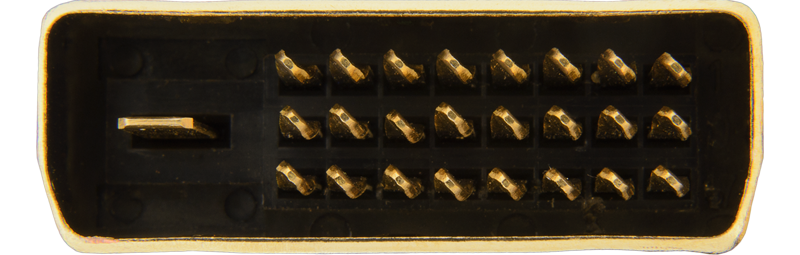 DVI
Digital Visual Interface, in three forms — DVI-A (analog), DVI-D (digital), and DVI-I
(both). Single-link and dual-link variants cover everything up to 2560×1600.
Learn About DVI
DVI
Digital Visual Interface, in three forms — DVI-A (analog), DVI-D (digital), and DVI-I
(both). Single-link and dual-link variants cover everything up to 2560×1600.
Learn About DVI
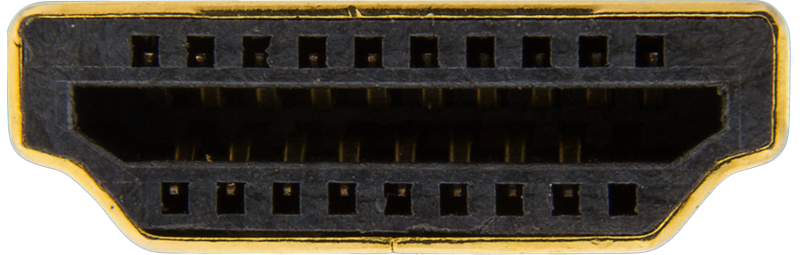 HDMI
High-Definition Multimedia Interface — digital video and audio on one cable. Versions
1.4 through 2.1 cover 1080p up to 8K, with CEC, ARC/eARC, VRR, and HDR.
Learn About HDMI
HDMI
High-Definition Multimedia Interface — digital video and audio on one cable. Versions
1.4 through 2.1 cover 1080p up to 8K, with CEC, ARC/eARC, VRR, and HDR.
Learn About HDMI
 DisplayPort
VESA's royalty-free PC standard. High bandwidth, multi-monitor daisy-chaining (MST), and the
signal behind most USB-C video.
Learn About DisplayPort
DisplayPort
VESA's royalty-free PC standard. High bandwidth, multi-monitor daisy-chaining (MST), and the
signal behind most USB-C video.
Learn About DisplayPort
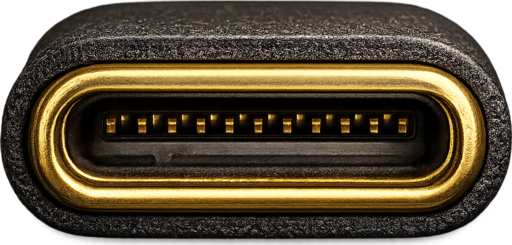 USB-C
A connector, not a video standard — it carries DisplayPort over DisplayPort Alt Mode (or
Thunderbolt), often with power on the same cable. Learn what to look for.
Learn About USB-C
USB-C
A connector, not a video standard — it carries DisplayPort over DisplayPort Alt Mode (or
Thunderbolt), often with power on the same cable. Learn what to look for.
Learn About USB-C
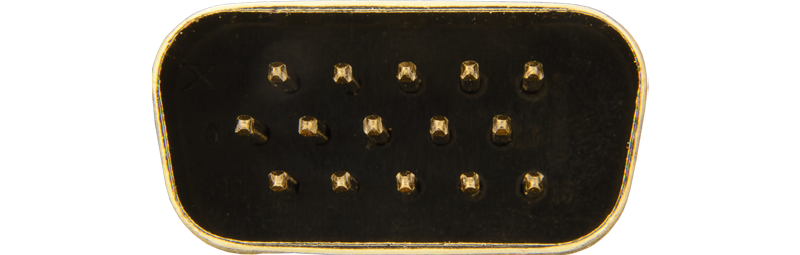 SVGA / VGA
The classic analog HD15 connector. Still found on older PCs, monitors, and projectors, and
covered here for legacy and conversion needs.
Learn About SVGA
SVGA / VGA
The classic analog HD15 connector. Still found on older PCs, monitors, and projectors, and
covered here for legacy and conversion needs.
Learn About SVGA
Tools
Compare Connections
Help & Guides
Common Questions
Can I connect DVI to HDMI?
Yes. Digital DVI (DVI-D/DVI-I) and HDMI use the same TMDS signaling, so a passive DVI-to-HDMI cable or adapter connects them and carries the video. DVI carries no audio, so add a separate audio connection. DVI vs HDMI »
What's the difference between HDMI and DisplayPort?
Both carry digital video and audio. HDMI is the standard for TVs and home theater (adds CEC and ARC/eARC); DisplayPort is built for PCs, with more bandwidth headroom and multi-monitor daisy-chaining. HDMI vs DisplayPort »
What HDMI cable do I need for 4K?
For 4K at 60 Hz with HDR, use a Premium High Speed HDMI cable (18 Gbps); for 4K at 120 Hz, an Ultra High Speed cable (48 Gbps). Cables are rated by bandwidth, not version. HDMI cable types »
Do I need HDMI 2.1?
Only for 4K at 120 Hz gaming, 8K, or lossless Atmos over eARC. For 4K at 60 Hz movies and most TV, HDMI 2.0 is plenty (and 2.1 is backward compatible). HDMI 2.0 vs 2.1 »
Does USB-C carry video?
Only if the port supports DisplayPort Alt Mode, Thunderbolt, or USB4. USB-C is a connector, not a video standard — look for the DisplayPort or Thunderbolt logo by the port. USB-C as a display cable »
Last updated: