


Connector Compatibility Matrix
HDMI |
DVI-D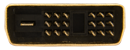 |
DVI-I |
DisplayPort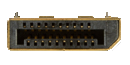 |
SVGA |
Component |
|
|---|---|---|---|---|---|---|
| HDMI |
Direct, Full HD Content HDMI Cables |
Direct, Full HD Content HDMI/DVI Cables |
Direct, Full HD Content HDMI/DVI Cables |
Full HD Content via Cable or Adapter Adapter Options |
Converter Required, HD Content Converter Options |
Converter Required, HD Content Converter Options |
Mini HDMI |
Direct, Full HD Content HDMI Cables |
Direct, Full HD Content HDMI Cables |
Direct, Full HD Content HDMI Cables |
Full HD Content via Cable or Adapter Adapter Options |
Converter Required, HD Content |
Converter Required, HD Content Converter Options |
Micro HDMI |
Direct, Full HD Content HDMI Cables |
Direct, Full HD Content HDMI/DVI Cables |
Direct, Full HD Content HDMI/DVI Cables |
Full HD Content via Cable or Adapter Adapter Options |
Converter Required, HD Content |
Converter Required, HD Content Converter Options |
| DVI-D |
Direct, Full HD Content HDMI/DVI Cables |
Direct, Full HD Content DVI Cables |
Direct, Full HD Content DVI Cables |
Full HD Content via Cable or Adapter Adapter Options |
Converter Required, HD Content |
Converter Required, HD Content Converter Options |
DVI-A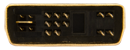 |
Converter Required, HD Content |
Converter Required, HD Content |
Direct, Full HD Content DVI Cables |
N/A | Direct, Full HD Content DVI Cables |
N/A |
DVI-I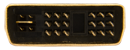 |
Direct, Full HD Content HDMI Cables |
Direct, Full HD Content DVI Cables |
Direct, Full HD Content | Direct, Full HD Content | Direct, Full HD Content | Converter Required, HD Content Converter Options |
| DisplayPort |
Full HD Content via Cable or Adapter DisplayPort/HDMI Cables |
Full HD Content via Cable or Adapter DisplayPort/DVI Cables |
Full HD Content via Cable or Adapter Adapter Options |
Direct, Full HD Content DisplayPort Cables |
Full HD Content via Adapter Adapter Options |
N/A |
| SVGA |
Full HD Content via Adapter Adapter Options |
Full HD Content via Adapter Adapter Options |
Direct, Full HD Content SVGA Cables |
Full HD Content via Adapter Adapter Options |
Direct, Full HD Content SVGA Cables |
N/A |
USB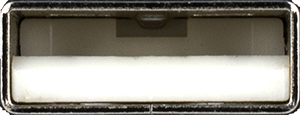 |
Full HD Content via Adapter Adapter Options |
Full HD Content via Adapter Adapter Options |
Full HD Content via Adapter (Digital Only) Adapter Options |
N/A | N/A | N/A |
| Component |
Converter Required, HD Content Converter Options |
Converter Required, HD Content Converter Options |
Converter Required, HD Content Converter Options |
N/A | N/A | Direct, Full HD Content Component Cables |
Common Connection Questions
Quick answers to the most common "can I connect this to that?" questions. For an interactive walk-through, try the Cable Selector Guide.
Can I connect DVI-D to HDMI?
Yes. HDMI is backward-compatible with digital DVI, so a DVI-D to HDMI cable or adapter connects the two. Keep in mind that DVI does not carry audio, so you will need a separate audio connection for sound.
Can I connect DVI-I to HDMI?
Yes, using the digital side of DVI-I. A DVI-D to HDMI cable or adapter works because HDMI is backward-compatible with digital DVI. As with any DVI-to-HDMI link, audio is not carried over DVI and must be connected separately.
Can I connect HDMI to VGA?
Not directly. HDMI is a digital signal and VGA is analog, so the two are not compatible with a simple cable. You need an active HDMI-to-VGA converter, or you can replace the VGA device with one that has a digital input.
Can I connect DVI-D to VGA?
Not directly. DVI-D carries a digital signal only, while VGA is analog, so an active digital-to-analog converter is required. A passive DVI-to-VGA adapter will not work here because it relies on the analog pins that DVI-D does not have (those exist only on DVI-I and DVI-A).
Can I connect DVI-A to VGA?
Yes. DVI-A and VGA are both analog, which is exactly what DVI-A was designed for. A DVI-A to VGA/SVGA cable connects them directly with no converter needed.
Can I connect DVI-I to VGA?
Yes. DVI-I includes an analog signal, so it connects to VGA with a DVI-A to VGA/SVGA cable or a passive DVI-I-to-VGA adapter. No active converter is required.
Can I connect DisplayPort to HDMI?
Yes. A DisplayPort-to-HDMI cable or adapter connects a DisplayPort source to an HDMI display, carrying both video and audio in most cases.
Can I connect DisplayPort to DVI?
Yes. A DisplayPort-to-DVI-D cable or adapter connects a DisplayPort source to a digital DVI display. As with DVI generally, audio is not carried over the DVI side.
Does a DVI-to-HDMI cable carry audio?
No. DVI carries video only, so a DVI-to-HDMI cable or adapter passes the picture but not sound. You will need a separate audio cable or connection between the two devices.
Can I connect DFP to DVI-D?
Yes. The Digital Flat Panel (DFP) connector and DVI-D are both digital, so a DVI-D to DFP cable connects them directly.
Can I connect DFP to HDMI?
Indirectly. DFP-to-HDMI cables are rare and usually custom, so the practical solution is to chain a DFP-to-DVI-D cable with a DVI-D-to-HDMI cable, using DVI-D as the common link. This path carries video only, not HDMI audio.
Can I connect DVI-A to DVI-D?
No. Despite sharing the DVI connector family, DVI-A is analog and DVI-D is digital, so they are not compatible without an active analog-to-digital converter. Replacing one device so both ends use the same signal type is usually the better value.
Can I connect a P&D / M1 device to DVI?
Yes, as long as the signal types match. Use a DVI-D to M1-D cable for a digital P&D (M1) device, or a DVI-A to M1-A cable for an analog one. Connecting an analog device to a digital one still requires an active converter.
What is the difference between Single Link and Dual Link DVI?
Single Link DVI uses one TMDS link (video clock about 25 to 165 MHz) and covers most common resolutions. Dual Link DVI adds a second TMDS link for extra bandwidth, which is only needed for the very highest resolutions such as 2560 x 1600. For most uses, a Single Link cable is sufficient.
What is the maximum length for a DVI or HDMI cable?
A passive DVI cable maintains full quality to about 5 meters, and a passive HDMI cable to about 15 meters. For longer runs, use active cables, signal repeaters, or fiber-optic extenders to preserve the signal.
Last updated: